Flexible planning views
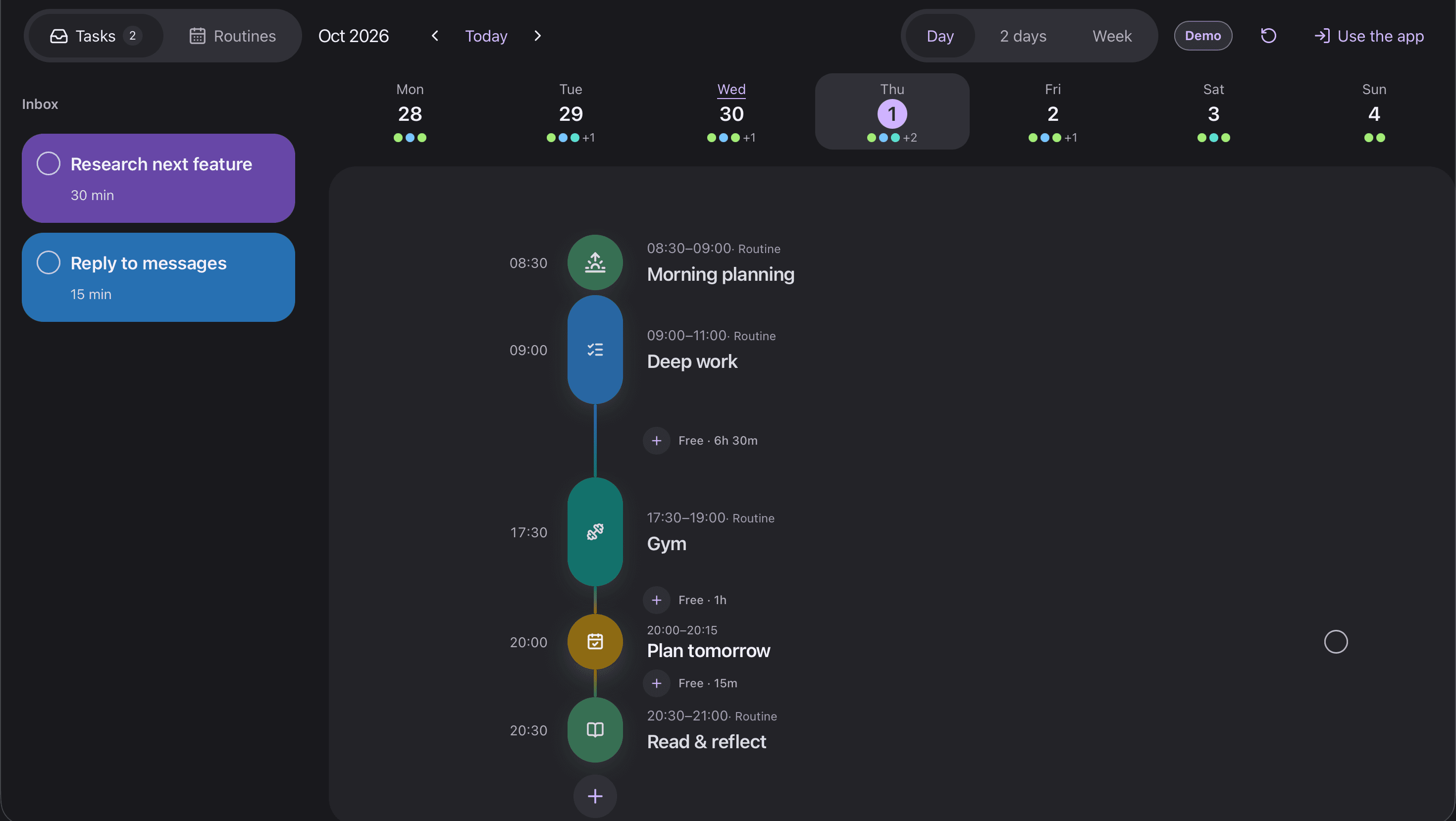
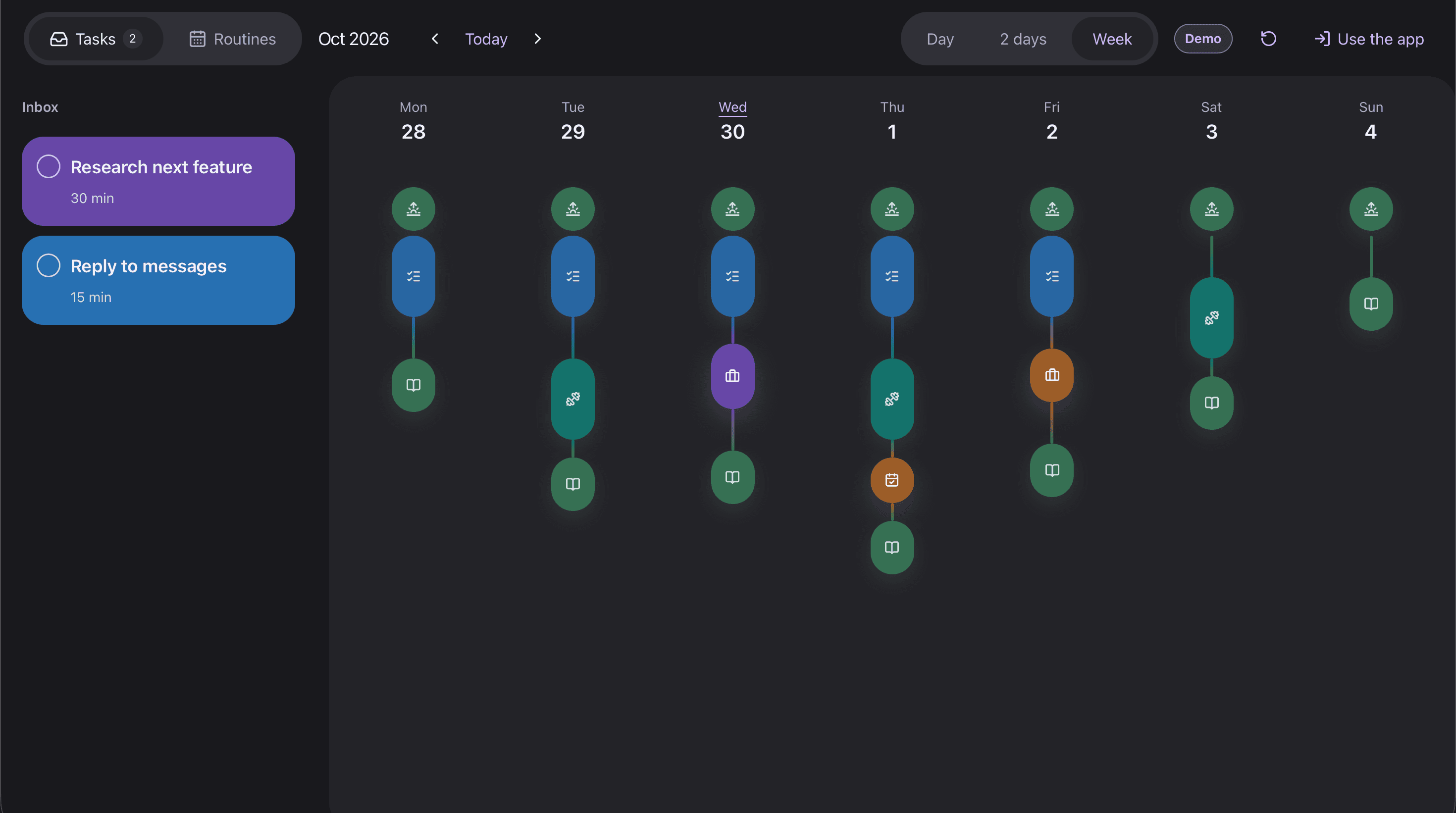
Built Day, 2 days, and Week views, so a plan can move from a quick daily checklist to a clearer weekly schedule.
CASE STUDY · FEATURED PROJECT
A daily planner for organizing tasks, routines, and a visual schedule across day and week views.
ROLE
Product design, frontend and full-stack implementation
STACK
Next.js · TypeScript · Supabase · PostgreSQL
PRODUCT PREVIEW
 Watch 1-minute walkthroughYouTube · Opens in a new tab
CONTEXT
The challenge. Create a planner where people can quickly capture tasks, schedule them visually, and keep recurring routines visible without losing context.
The approach. I designed DayFlow around an Inbox and timetable: capture first, then place tasks into a day, two-day, or week view when the plan is ready.
KEY FEATURES
Built Day, 2 days, and Week views, so a plan can move from a quick daily checklist to a clearer weekly schedule.
Tasks can move between the Inbox and timetable, then be rescheduled directly in the planner instead of through separate forms.
Added weekday-based routines with dates, times, duration, and notes for habits that should appear in the schedule repeatedly.
Implemented email/password and Google sign-in, confirmation, password reset, and account settings for a personal planning product.
IMPLEMENTATION
Authentication, PostgreSQL data, realtime updates, and row-level policies keep each planner account scoped to its own tasks and routines.
The planner updates immediately for a responsive feel, then confirms changes in the background while supporting Undo and browser-tab sync.
The interface supports desktop and mobile planning, system-aware appearance, and PWA installation for a more app-like experience.
EXPLORE THE PROJECT
Use the public demo to explore the project workflow, then review the repository for its implementation details.